4 Steps to Link Your Twitch to Discord Account (Mobile + Desktop)
A Twitch stream lives for a few hours. A Discord server lives all week. That is why streamers link Twitch to Discord. It keeps the community talking even when the stream ends. It also comes with perks like auto roles, sub channels, live pings, etc.
This is how to link Twitch to Discord, then flip on sync so subs get perks.
Requirements to Link Your Twitch to Discord
Before you click the “connect my Twitch” button, make sure:
-
You have a Twitch account and a Discord account
-
The Discord app is installed, and Discord is open in a browser
-
You are in the right Discord server, and you have Administrator or Manage Server permission.
-
You have the Manage Roles permission, so you can create and edit roles that Discord will use.
-
The Twitch channel has a Subscribe button, which means the streamer is an Affiliate or Partner, if you want sub-only channels and auto roles.
-
You can add and manage bots like MEE6, Nightbot, or Streamcord, if you want auto-live notifications and extra automation.
How to Link Twitch to Discord (Desktop)
Desktop is the easiest way to do this. The menus are clearer, and you can do the server setup right after.
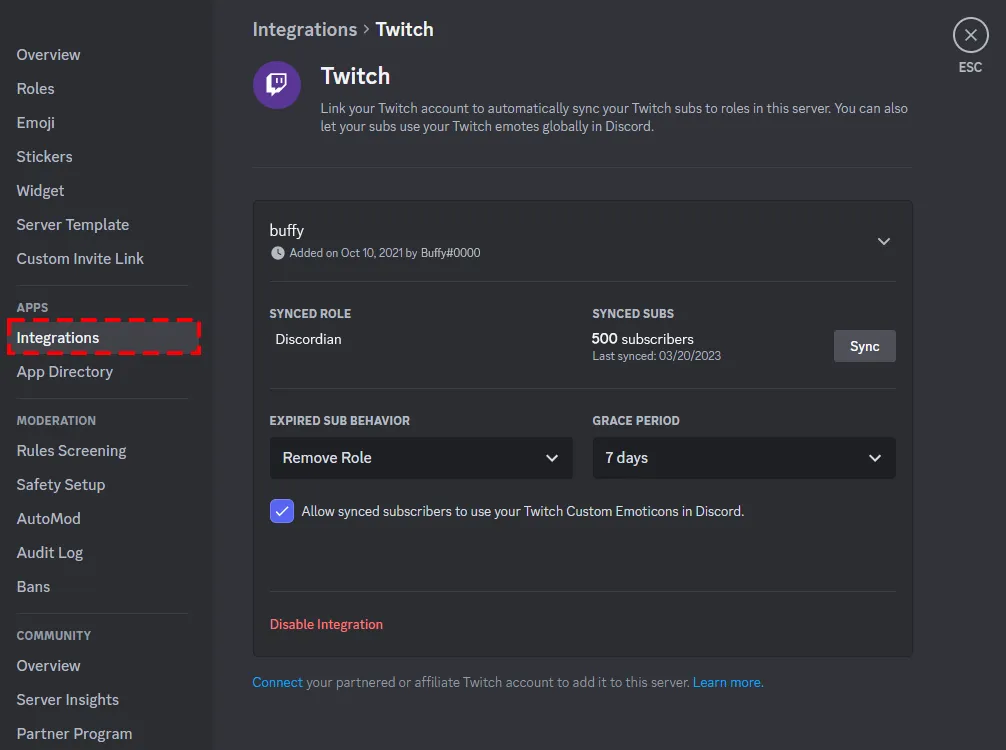
Step 1: Open Discord User Settings
Open Discord on PC or Mac. Look at the bottom left. Click the gear icon next to your name. That opens user settings.
Step 2: Click Connections
In the left menu, find Connections. Click it. This is where Discord lets you link accounts like Twitch.
Step 3: Select the Twitch Icon
Click the Twitch icon. Discord sends you to Twitch to approve it. Log in to your Twitch account. Then click Authorize to finish.
Step 4: Enable Twitch Integration in Your Server
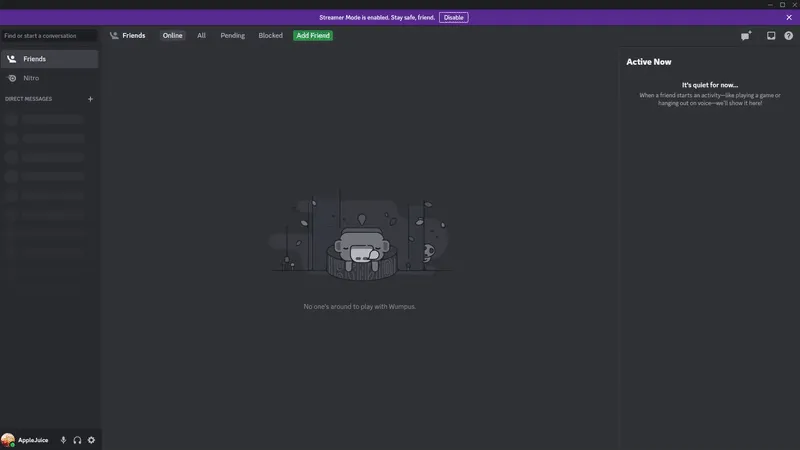
Now go to your Discord server. Click the server name at the top left. Pick Server Settings. Then click Integrations. Select Twitch and turn on subscriber sync.
How to Sync Twitch Subscribers to Discord Roles
Syncing roles is what unlocks the real perks. When it is set up, subs get roles synced automatically. When a sub ends, the role can be removed.
-
Open your Discord server, then click the server name at the top left. Pick Server Settings.
-
In the left menu, click Integrations. Look for Twitch in the list.
-
Click Twitch, then hit Enable or Configure so Discord can start reading sub status.
-
Turn on Subscriber Sync so roles are synced automatically, not done by hand.
-
Choose what role subs should get. Most servers use Twitch Subscriber plus tier roles.
-
Set the grace period for expired subs. This decides how long they keep access after the sub ends.
-
Save, then hit Sync once to force an update. Have one sub test it by rejoining.
Quick notes to save headaches:
-
If Twitch is missing in Integrations, the channel usually has no sub button yet. That means no Twitch Affiliate or Partner.
-
The Twitch roles Discord creates are managed by the integration. You cannot manually assign them like normal roles.
How to Link Twitch to Discord on Mobile
Mobile works too for linking the accounts, but the menu is easy to miss. The only goal here is to make Twitch show up under Connections in the Discord app.
Once it shows there, the server can read your sub status and sync roles later.
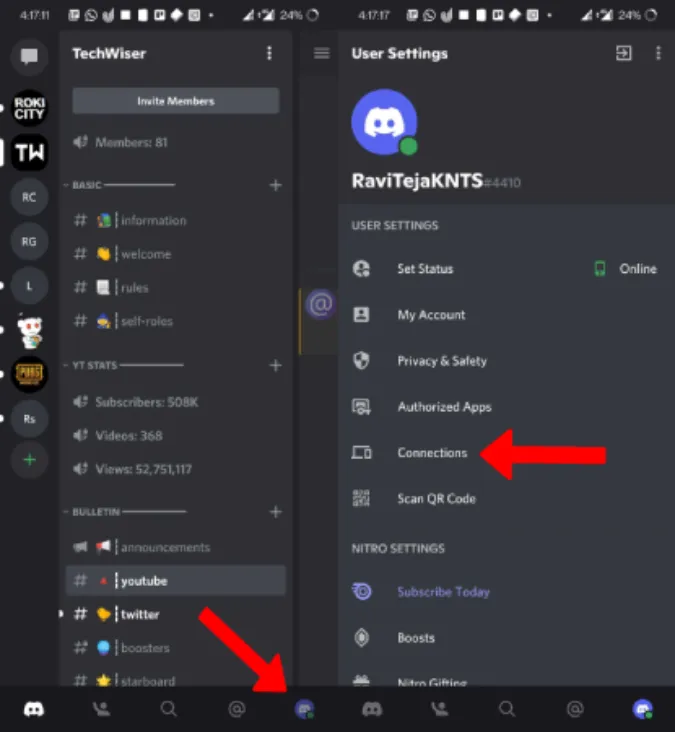
Here’s how to do it:
-
Open the Discord app
-
Tap your profile icon
-
Tap the gear for User Settings
-
Tap Connections
-
Tap Add and choose Twitch
-
Log in, then tap Authorize
-
Go back and check that Twitch appears under Connections
What Happens After You Link Twitch to Discord?
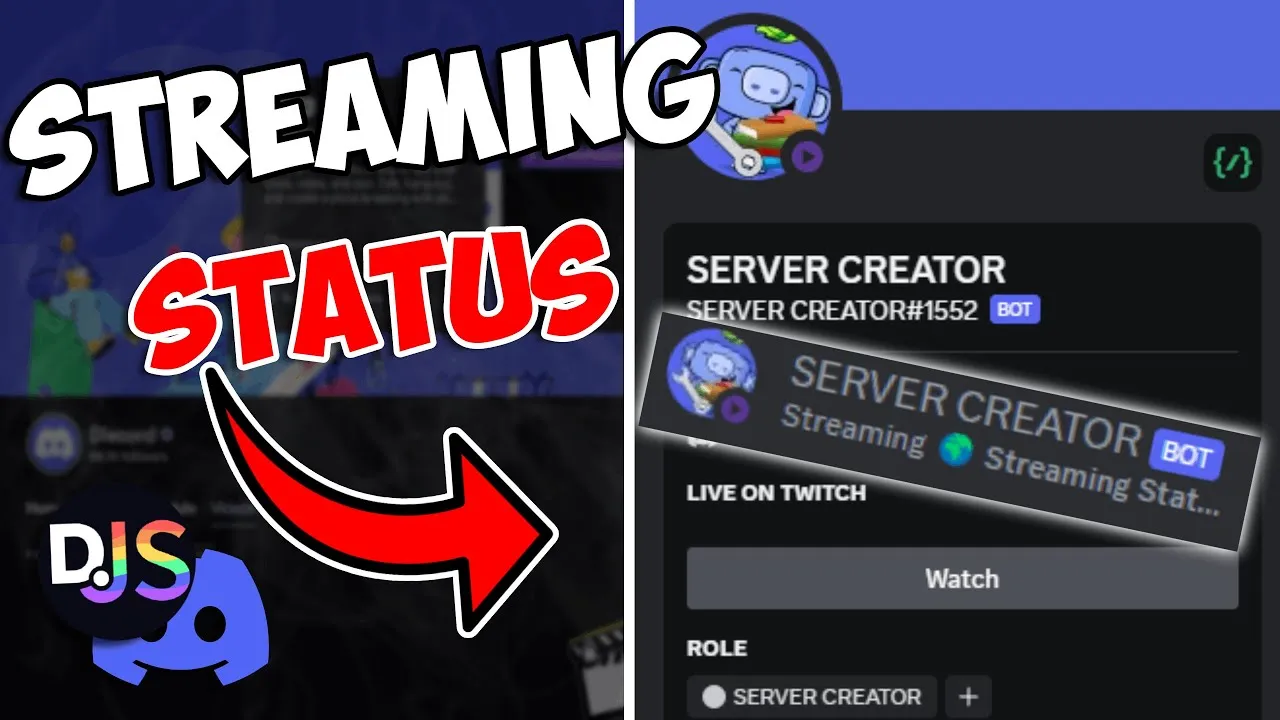
Once the Twitch integration is live, Discord gets way more useful for a Twitch streamer.
-
Discord can show your live status. People see you are streaming, without you spamming links.
-
Twitch subscriber roles can unlock private channels.
-
The role system helps manage roles cleanly. Mods know who is a sub. You know who supports.
-
It boosts engagement off-stream. People stay warm between streams.
READ ALSO: How to Grow on Twitch in 2026
Common Problems (And How to Fix Them)
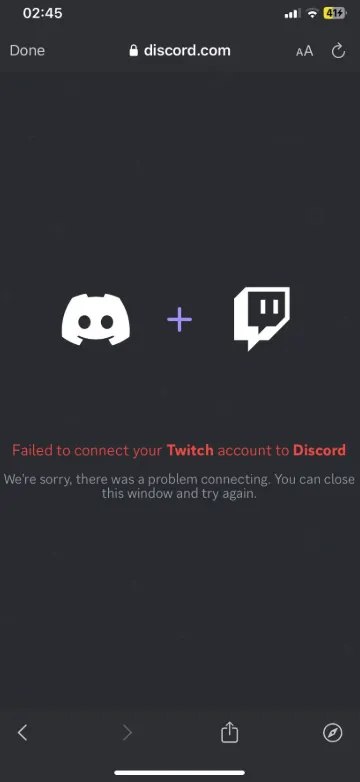
These fixes take less than five minutes, but they save hours of “why is this not working” spam in mod chat.
Run the checks below in order.
Twitch Not Showing in Connections
This usually means Discord is bugging, or the login did not finish.
How to fix:
-
Update the Discord app, then restart it
-
Log out of Discord, then log back in
-
Remove Twitch from connections, then add it again
-
If your browser blocks popups, try a different browser for the authorization step
Subscriber Roles Not Syncing
Twitch streamers see an active sub, but no role.
How to fix:
-
Confirm Twitch integration is enabled in server settings
-
Confirm the user linked their Twitch account to the Discord user settings
-
Manually sync the subscriber list inside integrations
-
Give it a bit of time, then sync again
Also, remember that subs can bypass rule screening. If your server uses rule screening, Twitch subs may join without it.
Twitch Disconnects Automatically
If Twitch disconnects, it is usually an auth issue.
How to fix:
-
Reauthorize Twitch in connections
-
Check that you have 2FA on Twitch, and you can log in cleanly
-
Remove the connection and reconnect from scratch
Why Linking Twitch to Discord & Viewbotter Helps Stream Growth
Twitch is where people find you. Discord is where they stick.
When you link them, you stop losing viewers the second you hit “End Stream.” Your server becomes the place clips get shared, inside jokes get made, and regulars become an actual community.
The best part is the automation. Sub roles get synced automatically, you can lock sub-only channels, and expired subs lose access after your grace period. That means less manual work for mods and more people showing up next stream.
Quick wins after you link:
-
Set one clean go-live ping channel and keep it spam-free.
-
Make one “clip dump” channel so viewers promote you for free.
-
Use roles to manage roles properly, so subs and mods are obvious.
If you want an added boost on your Twitch channel and to pass the “empty room”, ViewBotter can help you with a Viewer Bot, Chat Bot, and a Follow Bot.
FAQ
Can you link multiple Twitch accounts to Discord?
Yes. One Discord account can connect multiple Twitch accounts. Just remember that each Discord server’s Twitch integration will sync from the Twitch channel you configured there, so pick the right one for sub roles.
Can viewers link their Twitch to Discord?
Yes. Viewers can link their Twitch account the same way streamers do. That link is what lets Discord “see” their sub and give perks in a Discord server.
Does Twitch Prime work with Discord roles?
Usually, yes, a Prime Gaming sub should unlock the same Discord sub role as a paid sub. In real life, it can bug out, so if the role does not show up, reconnect Twitch in User Settings > Connections and have a mod run a manual Sync in Server Settings > Integrations.
Can mods manage Twitch integration?
Yes, if they have the right permissions in that Discord server. They need access to Server Settings and the Integrations area, plus permission to manage roles.
Is Twitch-Discord integration free?
Yes. The basic Twitch integration is built into Discord. Sub role perks require the streamer to have subscriptions on their Twitch channel.