Dead Twitch Chat? 12 Ways to Make Your Stream Look Active Again
A dead chat feels brutal. You are live, talking, gaming, reacting, and chat is just sitting there like a loading screen.
So, yeah… dead chats suck because they make even a decent stream feel empty. Let’s fix that Twitch dead chat problem with better prompts, smarter pacing, and activity viewers can actually join.
How Do You Fix a Dead Twitch Chat?
A dead Twitch chat usually happens because viewers do not see an easy reason to speak. So, you don’t have to bet people to type. The fix is a better stream structure, specific prompts, visible topics, chat-friendly games, and early activity.
Stop asking vague questions like “How is everyone?” Ask simple, low-effort questions instead. Use polls, channel points, sound alerts, and game choices to create Twitch chat engagement without making things awkward.
If you’ve tried all of that and chat still looks like a cemetery, ViewBotter’s Chat Bot fills the gap. AI accounts with real personalities that respond to stream events in real time, so your chat has signs of life before a single organic viewer even decides to type.
12 Ways to Make Your Twitch Chat Look Active Again
A dead chat is not always a dead stream. Sometimes viewers are lurking, eating, gaming, or watching on a second monitor.
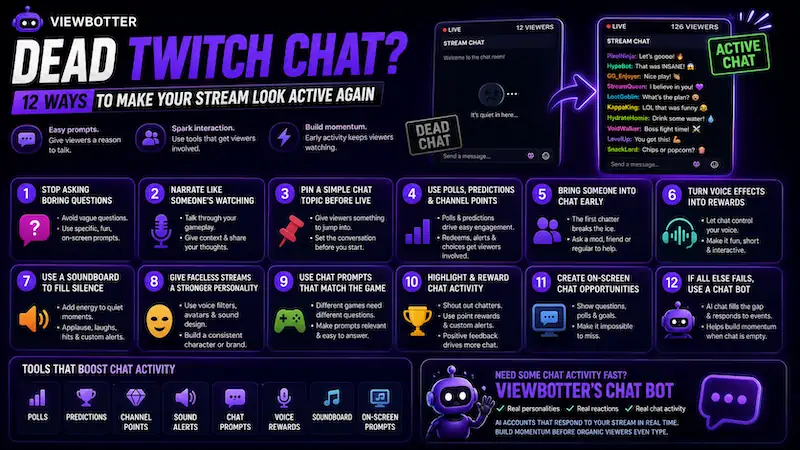
Your job is to make interaction feel easy, not forced. These Twitch chat ideas help your stream feel alive without turning your chat into spam soup.
1. Stop Asking Questions Nobody Wants to Answer
Generic questions fail because they feel too open. Viewers do not want homework when they have just joined your own channel. Make the answer obvious, funny, or tied to what is happening on-screen.
| Bad Chat Prompt | Better Chat Prompt |
|---|---|
| “How is everyone?” | “Would you rather fight the boss now or farm first?” |
| “Anyone there?” | “Rate that play from 1 to illegal.” |
| “What should I do?” | “Should I go safe or full goblin mode?” |
| “Chat, talk to me.” | “What is the worst map here, and why is it this one?” |
2. Narrate Like Someone Is Already Watching
Do not wait for chat before talking. Silence kills streams because a new viewer has no reason to stay. They click in, hear nothing, and bounce.
Talk through your choices. React to the game. Say what you are trying to do next. Tell short stories while playing. Pretend someone joined 30 seconds ago and needs context.
A viewer should understand your stream within 10 to 20 seconds, even if chat is quiet.
3. Pin a Simple Chat Topic Before You Go Live
Pinned topics reduce awkwardness because viewers do not need to invent the first message. They can jump into something already sitting there.
Try topics like:
-
“Worst game boss ever?”
-
“Controller or keyboard?”
-
“What game should I try next?”
-
“Hot take: this map is overrated.”
-
“What’s your go-to snack while watching streams?”
4. Use Polls, Predictions, and Channel Points
Twitch has tools built for low-effort interaction. Polls and predictions work because many viewers would rather click than type.
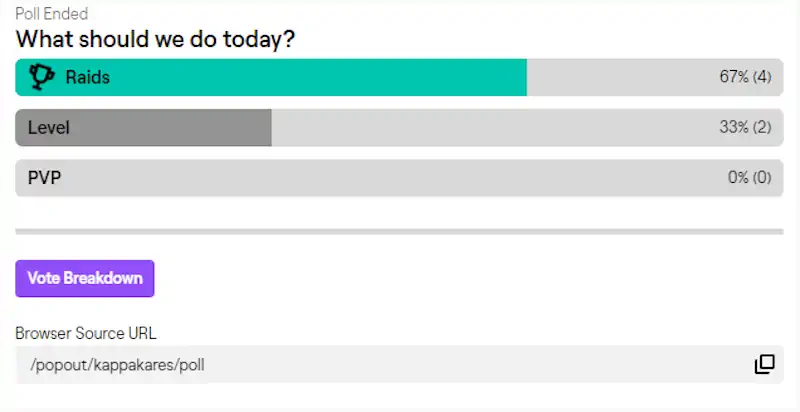
Use these tools:
-
Polls: “Do I survive this boss?”
-
Predictions: “Win next match or throw?”
-
Channel point redemptions: “Choose my next weapon.” (see more Twitch channel points ideas)
-
Sound alerts: Add quick reactions to fails or wins.
-
On-screen prompts: Keep one question visible.
-
Simple viewer choices: “Hydrate or suffer?”
5. Bring One Friend, Mod, or Regular Into Chat Early
The first chatter is the hardest. Nobody wants to be the only person typing in an empty Twitch chat. It can feel weird, even for viewers who like you.
Ask one friend, mod, or regular to hang out for the first 20 to 30 minutes. Have them greet people, answer prompts, or react naturally. Do not make it fake or loud.
6. Turn Voice Effects Into Chat Rewards
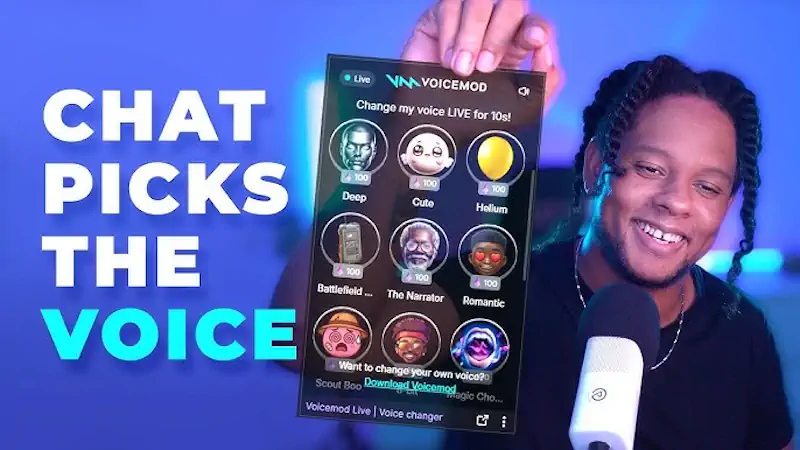
Voice effects make interaction easier because they give chat a fun button to press. This works well for small streamers who need low-pressure ways to get people involved.
Try voice redeems like:
-
“Redeem robot voice for the next boss fight.”
-
“Chat chooses my voice for the next match.”
-
“Every death changes my voice.”
-
“Villain voice until I win a round.”
Use robot, monster, cartoon, announcer, or character voices. Keep them short. Voice chaos is funny for 60 seconds, not 60 minutes.
7. Use a Soundboard to Make Quiet Moments Feel Less Empty
A soundboard can make small streams feel more produced. It gives quiet moments a little punch without needing 100 active chatters.
Use sounds for:
-
Applause after a clean play
-
Laugh tracks after a bad fail
-
Dramatic hits before risky choices
-
Short effects for alerts and redeems
This is especially useful for a music streamer, VTuber, roleplay stream, or variety creator. Just keep sounds short, clean, and not annoying.
8. Give Faceless Streams a Stronger Personality
Faceless streams need a strong hook. If viewers cannot see your face, your voice, avatar, sound design, and stream style carry more weight.
Natural voice filters can help create a consistent character or brand. This works for VTubers, privacy-focused creators, roleplay channels, and streamers who do not want to use their real voice all night.
Just don’t change voices every 30 seconds unless that is the actual bit.
9. Use Chat Prompts That Match the Game
Your prompts should fit the category. A horror stream needs different questions than a cozy stream. Here are some ideas:
| Competitive Games | Cozy Games | Horror Games | RPGs |
|---|---|---|---|
| “Was that my fault or team diff?” | “What should we name this character?” | “Do I open the door?” | “Good choice or evil choice?” |
| “What rank do you think I deserve?” | “Which design looks better?” | “Would you go in there? Be honest.” | “Which build is least embarrassing?” |
| “Should I play aggressive or safe?” | “What would you build here?” | “Jump scare prediction?” | “Do we trust this NPC?” |
Good prompts make the channel’s chat feel tied to the stream, not pasted from a list.
10. Make Your Stream Visually Look Less Empty
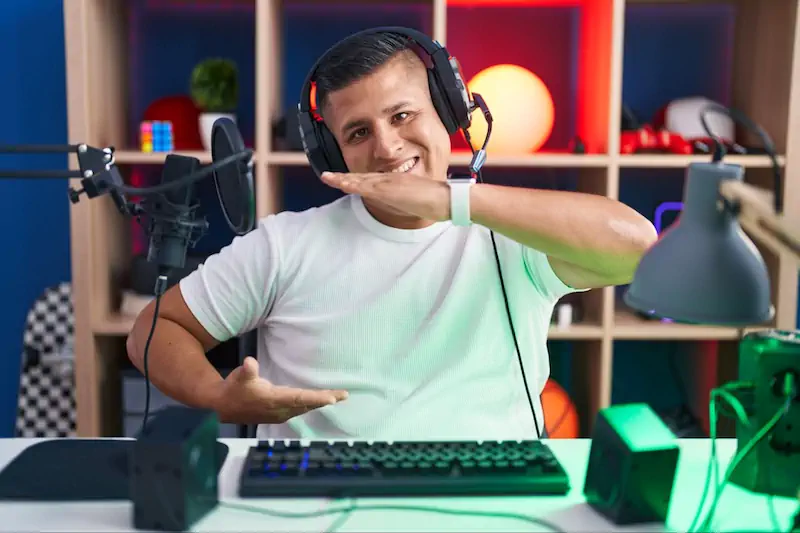
Activity is not only chat messages. A clean layout can make a small stream feel alive before anyone types.
Use:
-
Clean overlay
-
Recent follower or event box
-
Chat box visible on-screen
-
Stream labels
-
Simple goal bar
-
Starting soon screen with a topic prompt
-
BRB screen with a question
-
Alerts that are not screaming at people
A blank layout plus silent chat makes the stream feel abandoned. Good layout signals help make Twitch stream look active, but do not overdo overlays.
11. Create Small Rituals Viewers Can Join
Rituals make chatting easier because people know what to expect. Returning viewers love familiar bits because they feel like insiders.
Try:
-
First match prediction
-
End-of-stream rating
-
“Bad take of the day”
-
Weekly game challenge
-
Viewer-named characters
-
Community vote before changing games
-
“One terrible decision per stream”
This is real community building. It turns random viewers into regulars because they feel part of something repeated.
12. Add Chat Momentum Before the Stream Feels Dead
The first 10 to 20 minutes matter a lot. If the stream starts silent, new viewers may leave before you warm up.
That’s exactly where our Twitch Chat Bot earns its keep.
Instead of staring at an empty chat box while you try to warm up, the bot fills it with AI-generated accounts that actually have personalities, interests, and context-awareness tied to your content.
They don’t just spam generic messages, but react to what’s happening in your stream in real time.
Switch games mid-stream? The bot picks up on it. Running a poll? It participates. Big moment just happened? Burst messages fire off like your chat actually cares.
The same accounts come back stream after stream, too, so your chat starts building familiar faces.
Why a Dead Chat Hurts Your Stream More Than You Think
New viewers judge fast. If chat is silent, the stream can feel abandoned, even when the content is fine. People are also less likely to be the first person to talk.
-
A dead chat makes viewers feel like they walked into a restaurant where even the staff looks surprised to see them.
-
Active chat creates social proof. It tells people the room is alive, and they can join without being the main event.
Dead Chat vs Bad Content: How to Tell the Difference
A quiet chat does not always mean your content is bad. Sometimes it means your prompts, timing, category, or layout are not helping.
| Sign | Dead Chat Problem | Content Problem |
|---|---|---|
| Viewers join but leave fast | Maybe | Likely |
| No one clicks at all | Visibility issue | Maybe |
| People watch but never type | Chat prompt issue | Maybe |
| Same few regulars return | Good sign | Less likely |
| Clips get views but live stream is empty | Promotion or timing issue | Less likely |
| You stop talking when chat is quiet | Stream habit issue | Possible |
If people join and leave within seconds, the stream may need a stronger intro or clearer topic.
If nobody joins at all, category choice and visibility may be the bigger issue.
If people watch but never type, your prompts may be too hard to answer.
How to Structure the First 30 Minutes of a Stream
The start of a stream should not feel like waiting for a bus. Give people context, energy, and a reason to stay before the Twitch app optimizations or browse page even matter.
First 5 Minutes: Start With Energy
Do not begin with silence or settings chaos. Say what the stream is about and what you are trying to do today.
Ask one simple question early. Try: “Do we play safe today, or do we throw for content?” That is easy to answer.
Minutes 5-15: Create Easy Interaction
Run a poll, ask a game-specific question, and narrate your decisions. If someone appears in chat, welcome them naturally.
Do not stop everything like royalty arrived. Just say hi, respond, and keep the stream moving.
Minutes 15-30: Give Viewers a Reason to Stay
Set a mini-goal. Tease a challenge. Tell viewers what happens next. Clip any funny or useful moment before the stream drifts.
This is where quiet streams become watchable. Give people a “wait, I want to see this” moment.
Where ViewBotter Helps You with Dead Chat
ViewBotter is an all-in-one Twitch growth tool built for streamers who are tired of starting from zero every single stream.
Dead chat is a grind, but it doesn’t have to be your reality. Our Chat Bot drops AI-generated accounts into your stream that react to real events, respond to polls, and keep conversation moving while you build your real audience.
And that’s just the start. The Follow Bot builds your follower count so your channel looks established, while the Viewer Bot keeps your concurrent count off zero, so new visitors actually click in.
Not sure yet? New streamers get a free 30-minute trial, 25 viewers and 25 chatters, no card needed.
Mistakes That Keep Your Twitch Chat Dead
If you keep asking, “Why does nobody chat in my Twitch stream?” start with these habits first:
-
Waiting for chat before talking: New viewers leave before they know your stream exists.
-
Asking vague questions: “How is everyone?” is way too easy to ignore.
-
Streaming oversaturated games with no angle: If 5,000 people are live, bring a hook.
-
No visible chat prompts: Viewers need something easy to answer when they join.
-
Only talking about game mechanics: Add opinions, stories, reactions, and jokes.
-
Ignoring the first chatter: Notice them without making them feel trapped.
-
Running silent starting soon screens: Use that space for a topic, poll, or goal.
-
Not using chat commands: Simple chat commands can explain goals, Discord, schedule, and current challenge fast.
FAQ
Why is my Twitch chat dead?
Your chat may be dead because viewers do not have an easy reason to speak. Vague questions, silent gameplay, poor timing, crowded categories, and no early activity can all make a stream feel empty.
How do I get people to talk in Twitch chat?
Ask specific questions, use polls, create channel point rewards, narrate your decisions, and give viewers small choices during the stream. The easier it is to respond, the more likely people are to type.
Why do viewers join my Twitch stream and leave immediately?
They may not understand what is happening fast enough. A quiet stream, unclear title, messy overlay, or no visible chat activity can make new viewers bounce before they give you a real chance.
Should I talk if nobody is watching?
Yes. Talking while chat is quiet is one of the hardest but most important streaming habits. New viewers often decide if they stay based on what they hear in the first few seconds.
Can a Twitch chat bot help a dead chat?
Yeah, it can, especially in those brutal early streams where you’re talking to nobody, and real viewers bounce the second they see an empty chat box. Our chat bot creates early activity and makes the stream feel like something is actually happening.
Is it bad to use third-party Twitch growth tools?
ViewBotter is built to look as natural as possible, but no tool comes with zero risk. Think of it as a jump-start, not a substitute for actually growing your channel the right way.
How many chatters do I need for a stream to feel active?
Even a few messages can make a small stream feel more alive. You do not need a massive chat. You need enough visible activity that new viewers feel comfortable joining in.
How do I get chatters on Twitch?
The best way to learn how to get chatters on Twitch is to lower the effort needed to talk. Use polls, easy questions, channel points, game choices, and regular stream rituals. Then keep showing up so Twitch chatters know what kind of community they are joining.