How to Get Your Twitch Channel/Profile URL
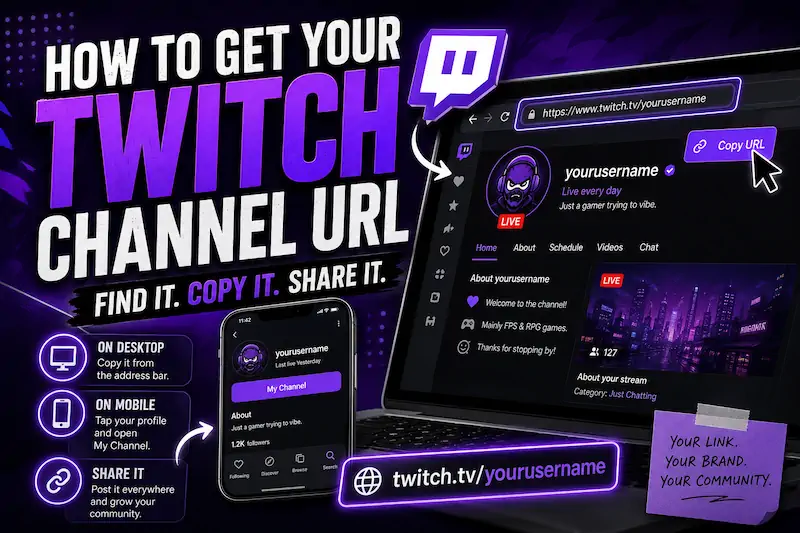
Your Twitch link should be the easiest part of streaming, yet the mobile app hides it surprisingly well.
Luckily, you can find it within seconds once you know where Twitch puts everything. Here is how to get your Twitch channel URL on desktop, mobile, or without opening your channel.
What Is My Twitch Channel URL?
Your Twitch channel URL is the public web address that sends people directly to your channel profile. It normally follows this format:
https://www.twitch.tv/yourusername
Replace yourusername with the username attached to your Twitch account.
For example:
https://www.twitch.tv/exampleusername
Your Twitch username forms the final part of the channel URL link. Changing that username also changes the public address people must use.
This is the Twitch URL link you can add to Discord, YouTube, Instagram, X, Linktree, and your stream panels.
How to Find Your Twitch Channel URL on Desktop
Desktop gives you the cleanest route because the full address stays visible inside the browser address bar.
-
Open Twitch through the Twitch website and sign into your account.
-
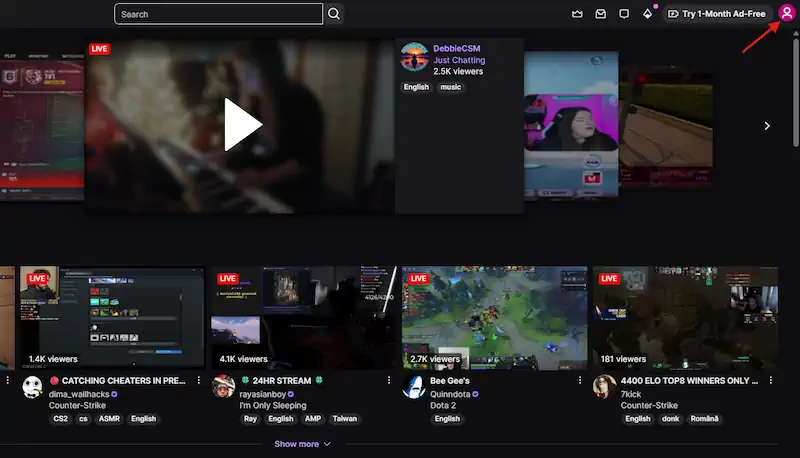
Click your profile picture in the top right corner of the screen.
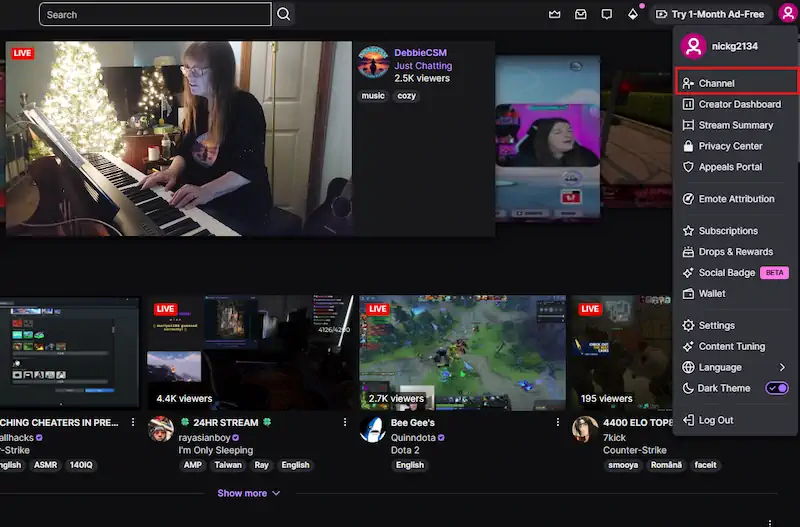
- Select Channel to open your public channel profile.
- Click the URL bar, then copy the complete web address.
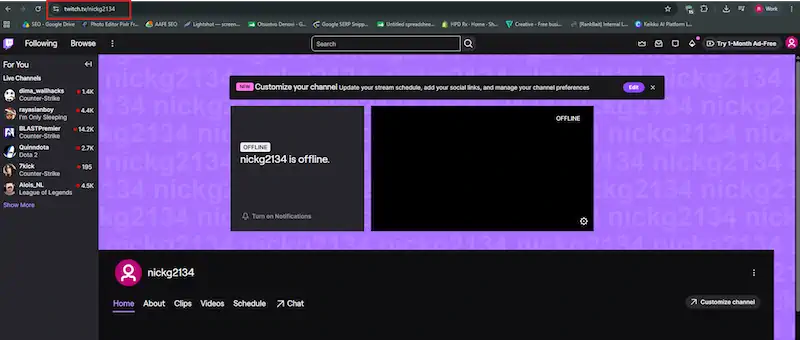
The copied URL should look like twitch.tv/yourusername, without dashboard pages or extra settings text.
You can also open your live stream, press the Share button, and choose Copy URL. That method works well when sharing Twitch link posts while you are already live.
How to Get Your Twitch Profile URL Manually
If an app refuses to cooperate, here’s how to get your Twitch profile URL manually:
Type:
Then add your Twitch username directly after the final slash.
For example, someone named coolstreamer123 would use:
https://www.twitch.tv/coolstreamer123
Use the actual account username, rather than copying a styled display name from your channel. Capital letters usually cause no trouble, but copying the exact username avoids spelling mistakes.
Open the finished link in a private browser tab before sharing it everywhere. That quick test catches old usernames, missing letters, and links pointing toward the wrong Twitch account.
How to Find Your Twitch URL on Mobile
-
Open Twitch and tap your profile picture. (same as on pc)
-
Choose My Channel or open your public channel profile.
-
The name is your URL slug aka the part after the “/”, so in our case, the URL would be https://twitch.tv/nickg2134/
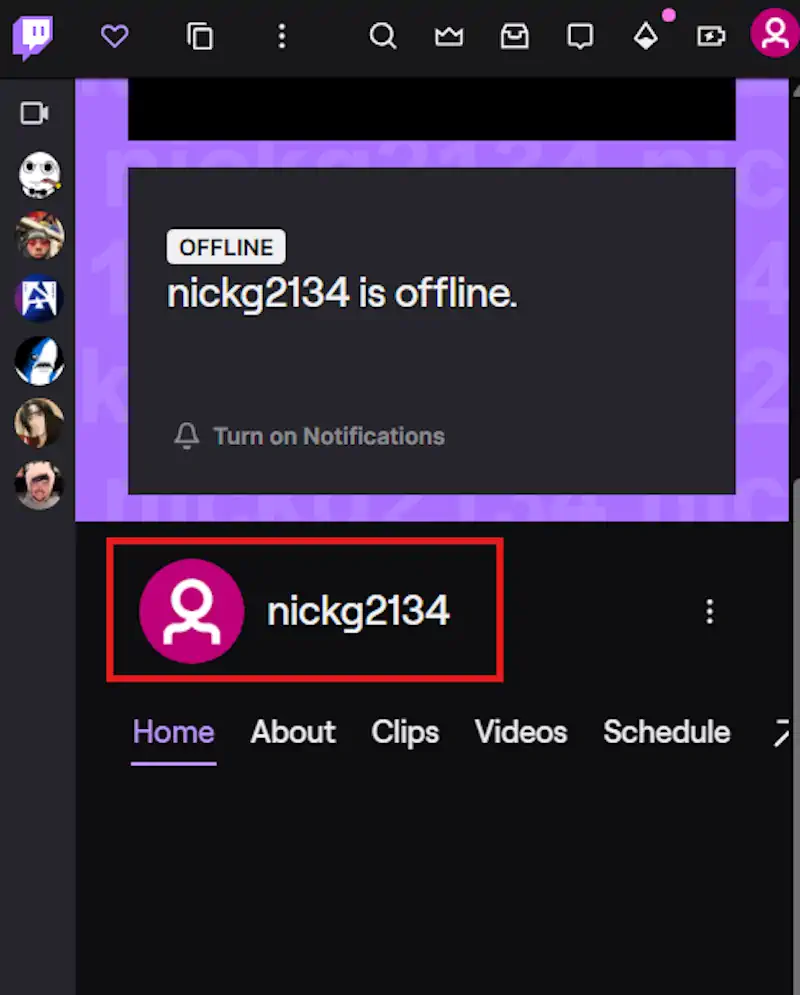
- Paste the Twitch stream link into Notes, Discord, or a browser to test it.
The same flow works when sharing favorite streamers with friends. Open their channel, tap Share, and copy their public link.
Common Twitch URL Mistakes
-
Sharing a dashboard URL: Dashboard links open creator tools, not your public channel.
-
Using an old username: Your old Twitch URL stops being the correct link after a name change.
-
Copying a VOD: A VOD link opens one previous stream instead of your main profile.
-
Using a broken short link: Test every link shortener before adding it to several bios.
-
Copying the wrong account: Check the profile picture and username before pressing copy link.
-
Never testing the link: Open it while signed out to see what other viewers actually receive.
Where ViewBotter Fits In
Getting your Twitch channel URL sorted is step one. The next step is making sure people who click it actually stick around. A shared link only works if the stream feels worth stopping for… visibility, chat activity, and early momentum all matter once someone lands on your channel.
That’s where ViewBotter comes in…
-
Our Twitch Viewer Bot keeps your concurrent count visible so your channel doesn’t look empty the moment someone clicks your link.
-
Our Twitch Chat Bot adds real-time chat activity so the stream feels alive, not silent.
-
And the Twitch Follow Bot helps build your follower count so the channel looks established to anyone checking it out for the first time.
New streamers can try it free… 25 viewers and 25 chatters for 30 minutes, no card required.
FAQ
What is my Twitch profile URL?
Your Twitch profile URL is normally https://www.twitch.tv/yourusername. Replace the final section with your actual Twitch username.
Is my Twitch channel URL the same as my profile URL?
Yes, for most streamers. “Twitch channel URL” and “Twitch profile URL” usually describe the same public channel page.
Can I change my Twitch URL?
Your Twitch URL changes when you change your Twitch username. Update every social bio, panel, and saved creator link afterward.
Why does my Twitch link not work?
You may have entered the username incorrectly, copied a Twitch dashboard page, used an old username, or missed part of the address.
Where should I put my Twitch channel link?
Place it on Discord, YouTube, TikTok, Instagram, X, approved Reddit communities, and your other creator profiles. These placements help encourage viewers to join your Twitch community when you go live.