How to Grow on Twitch in 2025 from Zero: 50+ Proven Tips
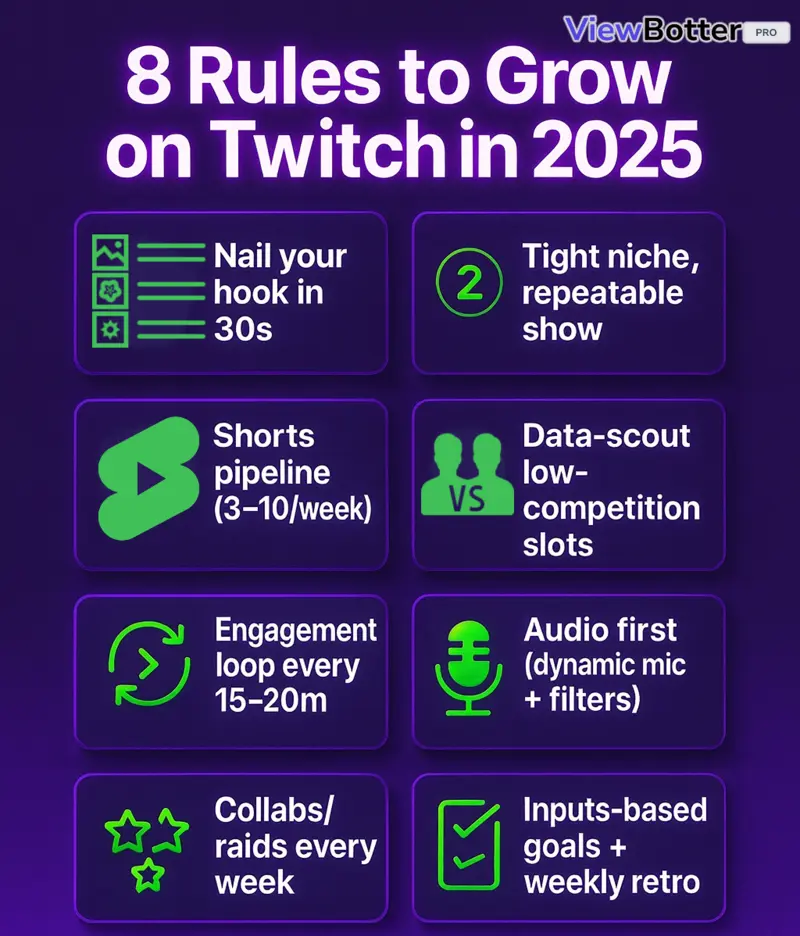
Twitch isn’t fair, but it is predictable. If you want to grow on Twitch 2025, you need a system, not luck.
Tight niche. Repeatable show format. Titles that make people click. A Shorts pipeline that actually feeds your stream. Smart Twitch networking. A Twitch schedule you stick to.
And maybe a helpful boost from Viewbotter so the Twitch algorithm pushes you and real viewers discover you. Sometimes momentum is a big thing.
Here, you’ll get Twitch tips for beginners & pros that still work to this day.
Foundation & Positioning (Most important)
This is the base. Nail positioning before worrying about overlays. Pick a Twitch niche you can repeat. Write titles that spark curiosity.
Build a Shorts engine. Match your stream to your clips. Set two or three weekly slots.
Then network like your future depends on it, because it does.
1. Pick a Tight Niche + Repeatable Show Format
Variety is fun. Consistency wins early. Lock a niche and build a simple, repeatable show. Try:
-
“Viewer Challenges Fridays”
-
“Hardcore runs with chat sabotage”
-
“Teach-me speedruns”
Use data tools like TwitchTracker to find opportunity categories with good viewers-to-channels ratios and sane competition.
Track by time of day. Keep a rotating list you can run weekly. This is Twitch discoverability you control.
Quality source on niche-hunting:
https://www.youtube.com/watch?v=Ut1p3Ncq80o (EMBED)
2. Title for Curiosity, Not Labels (Your Only Powerful “Clickbaity” Weapon is the Title)
On Twitch, your title is the thumbnail. Labels flop. Curiosity pulls. Use promise + tension + outcome.
-
“Stream won’t end until I beat X.”
-
“Knife-only run. One death ends stream.”
-
“24h stream? Chat decides.”
Track CTR vs. chat density vs. retention. Keep winners. Retire duds. Treat Twitch titles like headlines. Change them every stream.
3. Viewbotter Helps You Grow on Twitch
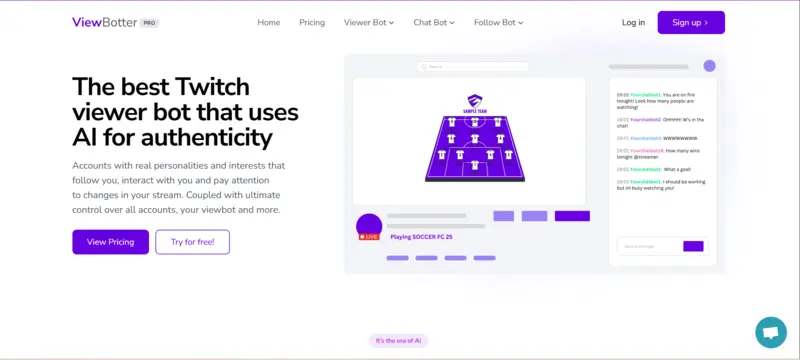
Early growth feels brutal when stuck at 1 viewer. That’s where ViewerBot, ChatBot, and FollowBot come in.
-
Stable, AI-driven viewers that show in Twitch Analytics.
-
Chatters to keep streams alive and interactive.
-
Followers to boost social proof.
These tools give you the push you need to beat Twitch’s algorithm and actually get discovered.
4. Write a One-Line Promise
Clarity converts scrollers into followers. Write one line that explains your show, stakes, and vibe.
“I teach scuffed speedruns in retro horror because chaos is fun.”
Say it in the first 60 seconds. Put it in your bio, panels, and Discord welcome, the same clarity that helps you get 50 Twitch followers in 30 days.
5. Set a Fixed Weekly Schedule (2-3 Slots)
Train viewer habit. Don’t spam seven random days.
-
Pick two or three fixed slots and protect them.
-
Post the Twitch schedule in panels and socials.
-
Tease “Next stream: Tue 8 PM” before every raid.
6. Build a Short-Form Pipeline (Your #1 Discovery Engine)

Shorts are your discovery engine. Full stop. Aim for 3-10 Shorts per week across TikTok, YouTube Shorts, and Reels.
Hook in the first two seconds. Add captions. Post natively. One clip can outperform a week of empty streams.
Use stream markers to find moments fast. This is how to get viewers on Twitch from outside Twitch, quality info: https://www.youtube.com/watch?v=dXO7dkpHv6M
Do this yourself in the beginning, once you have a budget and start earning from twitch, you can hire freelancers to do this job for you, so you can focus on creating content more.
7. Make Stream Content Match Your Shorts
Don’t bait-and-switch. If the Short promised knife-only chaos, open stream with that bit. Keep your on-stream format congruent with your viral clip style.
That reduces bounce, boosts retention, and makes your pipeline work.
Turn on VODs and organize highlights so new viewers can verify your vibe fast.
8. Network Inside Twitch (Be Known Before You’re Seen)
Networking works. Be a useful chatter, not a self-promo. Hang in streams near your size.
Build real relationships. Collabs and raids convert because there’s trust.
Track potential collab fits in a simple doc. Aim for similar concurrency ranges. That’s Twitch networking that sticks.
There’s an old saying: “The more you give, the more you get.” Remember that!
9. Optimize Lighting & Framing
Readable faces keep people. Good lighting beats a pricey cam.
-
Use a key light (ring works)
-
Add a soft fill or ambient LED
-
Frame your face mid-thirds
-
Tidy the background
-
Add one “talking prop” that sparks chat.
-
Enable low latency Twitch mode later for snappier back-and-forth.
If you’re still figuring out your first setup, our beginner’s guide to starting on Twitch walks you through gear, OBS basics, and safety tools step by step.
10. Plan a Run-of-Show (Hook → Challenge → Payoff → Reset)

Never go live without a plan. Outline your hook, main challenge, and payoff. Add three backup prompts per segment to kill dead air.
Use yoink-and-twist: study what works, adapt it to your niche, and make it yours.
Structure protects spontaneity. Your energy goes to performance, not improvising survival.
Networking & Community
No streamer grows in isolation. Twitch runs on shared communities, raids, and collabs.
-
Join healthy creator groups that avoid fake “support-for-support” loops.
-
Focus on Discord servers where streamers share feedback and collab opportunities.
-
Prioritise streamers near your size for authentic raids and collabs.
Genuine relationships accelerate trust and make your audience base stronger long term.
Discoverability & Click-Through
Twitch doesn’t hand out viewers. You need hooks that spark clicks, smart category scouting, and notifications that actually feel like headlines.
Every click compounds. Treat:
-
Titles
-
Go-live alerts
-
Memes/shorts
…as micro-marketing tools that sell the first second of your stream.
1. Data-Scout Categories by Viewers/Channel Ratio
Don’t drown in saturated games.
-
Use tools like SullyGnome or TwitchStrike.
-
Track viewers-per-channel ratios at different times of day.
-
Keep a rotating list of “discoverable games” where competition is lower.
This scouting is one of the core steps to get more viewers on Twitch in 2025, making discoverability something you can actively control.
2. Create a Hook Bank & Challenge Bank (30/30)
Never improvise your first line.
-
Write 30 strong hooks to open streams.
-
Prepare 30 challenges to keep pace mid-stream.
-
Rotate every 15-20 minutes.
Examples:
-
“Chat picks my skill tree.”
-
“One hit = end stream.”
Structure keeps streams alive when chat slows.
3. Write Click-Worthy Go-Live Notifications
Notifications are free micro-headlines. Don’t waste them.
Bad: “Going live.”
Good: “Chat picks my loadout, first wipe ends stream.”
-
Use stakes or curiosity.
-
Change it up every stream.
-
Track which ones bring the most clicks.
Think of them as another chance to raise CTR.
4. Post Meme-Stitch Shorts (Tastefully)
Shorts are your #1 discovery engine as we mentioned earlier. Meme-stitching makes them even stronger.
How to do it:
-
Open with a 7-10s trending meme.
-
Cut into your Twitch clip.
-
Export vertical/square with captions baked in.
Clips with a meme hook often pull far more off-platform traffic.
5. Answer Niche Questions on Reddit/Discord
Reddit and Discord are underrated for growth.
-
Post helpful answers, not self-promo.
-
Share your expertise in niche channels.
-
Put your Twitch link in your profile, not in every comment.
Viewers who trust your advice often check your stream naturally. That’s an organic way on how to get viewers on Twitch.
6. Use X (Twitter) for Niche Embedding
Treat X like a giant cocktail party.
-
Post a teaser clip first.
-
Reply to your own post with the live link 60-120s later.
-
Pin that reply.
-
Join ongoing threads; memes, debates, game chatter.
Avoid spam. Add value first, then drop your link smoothly.
In-Stream Engagement & Retention
Getting discovered is only half the battle.
Keeping people around is where growth compounds.
Engagement loops, smart scene setups, background audio, and clear CTAs all boost retention.
The goal is to create constant reasons for viewers to stay, interact, and return for the next stream.
1. Engagement Loop Every 15-20 Minutes
Streams die when nothing happens for 10 minutes straight. Keep energy high by running engagement loops:
-
Quick polls or channel predictions
-
Chat-driven choices (“choose my build,” “pick my next weapon”)
-
Rapid-fire questions to stir conversation
Aim for 60–120 messages per hour early on, the kind of activity that pushes you past the wall of getting 3 average viewers on Twitch and into real growth.
2. Overlay Chat if You Have One Monitor
If you only have one monitor, it’s easy to miss chat, and nothing kills growth faster than ignoring viewers.
Use a transparent, always-on-top chat overlay so text floats over your game.
Keep the background invisible, set it to click-through, and position it where your eyes naturally scan.
3. Add Live Captions (Accessibility = Reach)
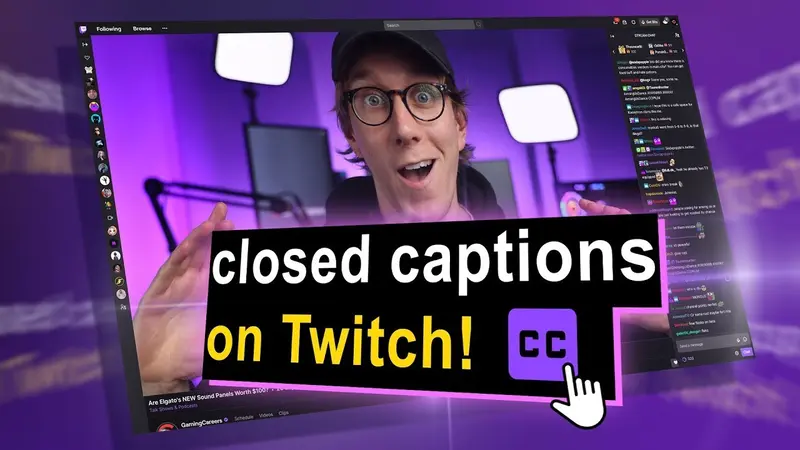
Accessibility grows reach. Many viewers scroll Twitch with audio off, and captions help include deaf and hard-of-hearing viewers.
Add the OBS Google Speech plugin for live captions. Make the toggle button visible on stream so people know captions are available.
It’s a small tweak that can expand your potential audience significantly.
4. Build a 4-Scene Architecture
Don’t clutter your stream with 12 scenes you’ll never use. Stick to a 4-scene setup:
-
Just Chatting (intro and chill moments)
-
Gameplay (main screen, minimal overlay)
-
Story Cam (big camera for reactions or Q&A)
-
Intermission (BRB screen or transitions)
Hotkey everything. This setup gives variety while keeping things clean and easy to switch mid-stream.
5. Use Stinger Transitions with Correct Cut Point
Smooth transitions add professionalism.
Use stinger transitions, but time them properly. Trigger the cut when the screen is fully covered by the transition graphic, not before.
Add an audio crossfade so the sound doesn’t cut harshly. Done right, transitions feel seamless instead of distracting.
6. Run a Low-Volume Sound Bed
Silence feels like dead air on Twitch.
Run a royalty-free background track at whisper volume throughout gameplay. Keep it subtle, louder than silence, quieter than your voice.
A sound bed smooths over pauses, makes the stream feel “alive,” and prevents awkward gaps when you stop speaking for a moment.
7. Prepare “Silence Savers”
Every streamer gets stuck. When chat slows, reach for silence savers:
-
3 mini-stories ready to tell
-
3 quick rankings (favourite games, best weapons, worst bosses)
-
3 rapid-fire Q sets for chat
Having backup content prepped means you never hit that painful “what now?” moment.
8. Tasteful CTAs (Value → Ask)
Don’t spam “Follow me.” Tie asks to value. For example:
-
“If this clutch made you smile, follow for the next disaster.”
-
“If you liked this build, drop a follow so you don’t miss the sequel.”
Deliver a value first, ask second, format every 20-30 minutes. Tasteful CTAs convert far better than nagging.
9. Moderation Stack (People + Automod)
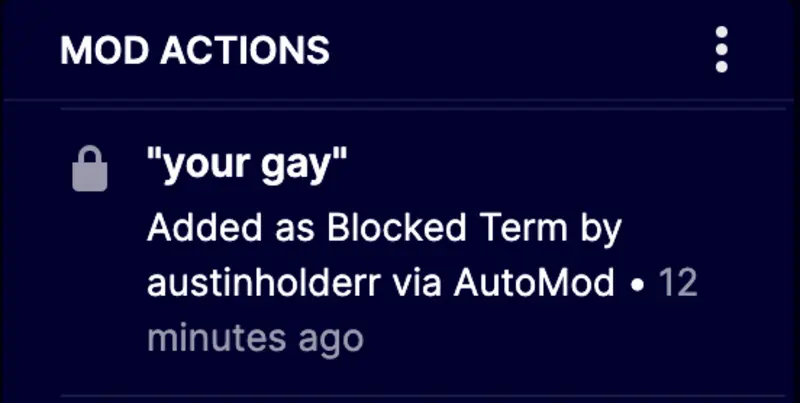
Toxic chat kills growth. Build a moderation stack:
-
At least one trusted mod in every session
-
Twitch Automod tuned for your niche (harassment, spam, spoilers)
-
Clear rules in your panels
-
Avoid follower-only chat early, it drives new people away
Good moderation keeps vibes positive and helps communities scale safely.
Content Engine (Clips → Shorts → Long-form → Live)
Your content should work in a loop. Live streams feed clips. Clips turn into Shorts. Shorts drive viewers back to Twitch.
Long-form YouTube videos build search value. Everything links back to your live show.
The goal is efficiency. Repurpose content instead of starting from scratch each time.
1. Mark Highlights Live
Don’t wait days to find good clips. Use the /marker command in Twitch chat or hotkey it in OBS whenever something funny, clutch, or rage-worthy happens.
After the stream, check your VOD timeline for markers. Cut 3 clips within 24-48 hours. End each with a soft CTA like: “Catch me live Fridays at 8 PM.”
2. Spin Weekly Search-Value YouTube Videos

YouTube is where people search. Once a week, make a video that answers search queries:
-
“Best starter builds in [Game]”
-
“Top 5 weapons ranked”
-
“What to buy first in [Game]”
Add chapters for easy browsing. Pin your next Twitch live time in the comments. Use TubeBuddy or VidIQ to check keywords before recording.
3. Extract Highlights Right After Stream (15-Min Rule)
Wait too long and you’ll forget the best moments. Within 15 minutes of ending stream, skim your VOD and cut highlights.
Batch them into TikTok, Shorts, and Reels. Tools like Crossclip or Streamladder reformat Twitch clips/shorts into vertical with captions in minutes. Fresh memories = faster edits.
4. Keep VODs On & Organized
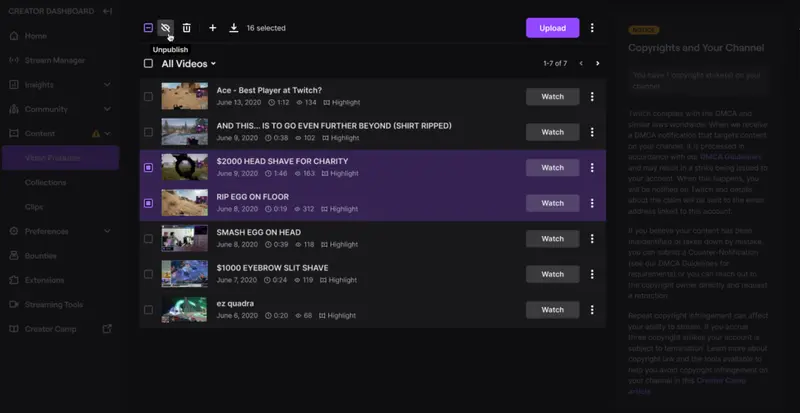
Don’t hide your VODs. They’re proof of your vibe for curious new viewers.
-
Write clear titles (“Knife-Only Run | 3 Deaths = Stream Ends”)
-
Add short descriptions with key moments
-
Group VODs into playlists by game or series
Treat your VODs like a library. It shows consistency and gives new fans a back catalogue.
5. Bio/Panel Funnel Optimization
Your panels are mini landing pages. Structure them:
-
One-line promise at the top (who you are + why to watch)
-
Schedule block with fixed slots
-
Discord invite
-
Rules and moderation
Add only one CTA per panel. No spam. No “follow-for-follow.” Instead, share value: tech help, collab notes, or clip contests.
6. Plan One Collab Every Two Weeks
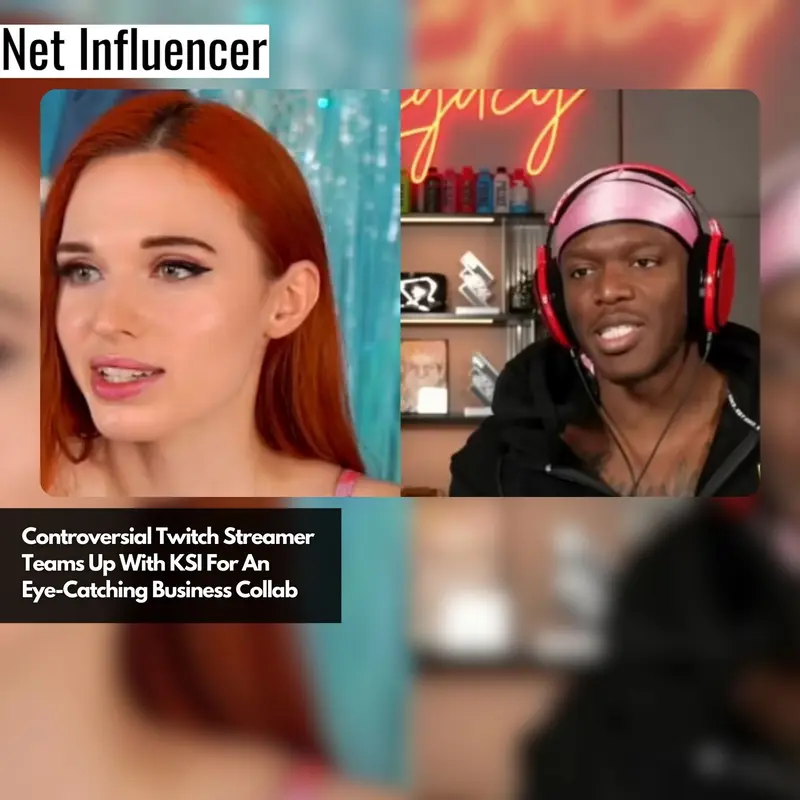
Collabs accelerate growth. Set a rhythm: one collab every 2 weeks. Options:
-
Co-op challenges
-
“Coach me” formats
-
Shared chaos runs
Promote the collab the day before with short clips on socials. After stream, cut highlights and tag both creators. This doubles reach while building trust networks.
7. Create a Discord Hub
Discord is your off-stream home. Build it like this:
-
Welcome flow → greet new members with your one-line promise
-
Pinned schedule → so they always know when you’re live
-
Clip of the week channel for community highlights
-
Dedicated spaces for feedback and collab pitches
Use free Discord templates to set up roles, welcome flows, and channels quickly.
8. Personal Touch With New Followers
After stream, thank new followers directly.
-
Send a short DM or Twitch whisper
-
Drop by their channel if they stream
-
Add regulars to a simple notes doc (game they play, timezone, interests)
9. Attend Meetups (Online/IRL)
Growth isn’t just online. Attend local Twitch meetups or join virtual creator hangouts. These events build long-tail friendships, potential sponsors, and future collabs.
Even small IRL connections can lead to raids or cross-promotion later. Streamers who show up in person stand out in a crowded digital space.
Tech, Performance & Quality of Life
Even the best show format fails if your stream stutters, your mic cracks, or your background screams chaos. Solid tech foundations protect your content and make it watchable.
Think of this section as a streamer survival kit: practical fixes, smart tools, and habits that keep quality high without burning you out.
1. OBS Lag Triage

Lag kills retention. Open Stats in OBS (View → Stats) and check what’s failing:
-
Dropped frames = internet. Lower bitrate (try 3,500-4,500 kbps) and test on speedtest.net.
-
Missed frames = GPU issue. Lower game graphics, especially shadows and post-processing.
-
Skipped frames = encoder problem. Cap stream at 60 or even 30 FPS.
Run a private test stream to confirm fixes.
Baseline OBS settings for Twitch:
-
Bitrate 4,500–6,000 kbps at 720p60.
-
Keyframe interval 2.
-
Use NVENC if available.
-
Audio 160–192 kbps at 44.1/48 kHz.
2. Use Game Capture (Not Screen Capture)
Never rely on Screen Capture for gameplay. It eats resources and looks messy. Instead:
-
In OBS, add Game Capture → set to “Capture Specific Window.”
-
Select your game.
-
Lock it in your sources list.
This method is more stable, drops fewer frames, and outputs cleaner visuals compared to Screen or Window Capture.
3. Hotkeys You’ll Actually Use

Set hotkeys for actions you need mid-stream. In OBS:
-
Ctrl/Cmd+F → Fit to screen
-
Ctrl/Cmd+D → Center source
-
Alt + drag → Crop sources
-
Ctrl + drag → Disable snapping
Practice them offline until they’re muscle memory.
4. Mic Chain Basics
Bad audio makes viewers leave. Build a simple mic chain in OBS filters:
-
High-Pass Filter (HPF) → Cuts low rumbles.
-
Noise Suppression → Removes background hum.
-
Compressor → Levels your voice during loud and quiet moments.
-
Limiter → Prevents clipping.
Check levels in OBS. Aim for -10 to -6 dB peaks.
5. Try Mid-Roll Ads to Kill Pre-Rolls
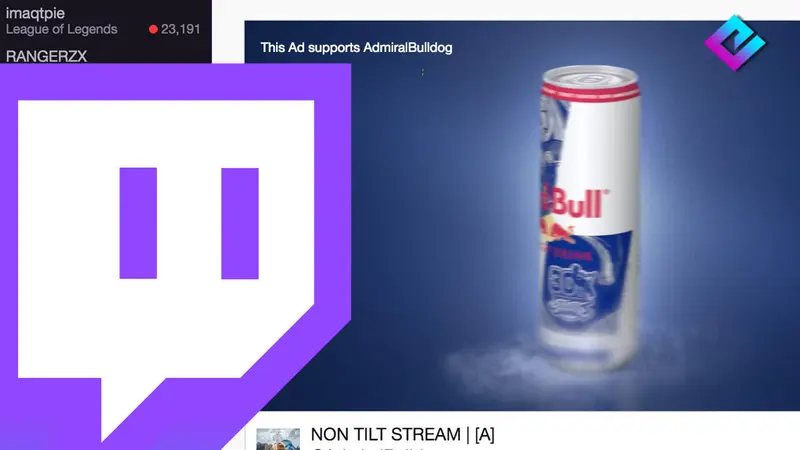
Pre-roll ads chase new viewers away. The fix:
-
Run 3 minutes of mid-roll ads per hour.
-
Twitch disables pre-rolls for 30 minutes after.
-
Announce it: “Running quick ads so new folks won’t see them on entry.”
6. Record a Clean Vertical Canvas Automatically
Future clips are easier if you record vertical live.
-
Install the OBS Vertical/dual-canvas plugin.
-
Add a vertical 1080x1920 canvas alongside your main one.
-
Enable backtrack hotkey (captures the last 30-60s retroactively).
This lets you export Shorts/TikToks without reformatting.
7. Run Weekly Retros + Two Experiments
Every week, review:
-
Which moments hooked new viewers?
-
Where did people drop off?
Pick two experiments for the next week (title, hook, time slot, new CTA).
Too many tweaks = noise. Track patterns and double down on what works.
8. Set Inputs-Based Goals (Not Vanity Outputs)
Forget “75 average viewers” as a goal. You can’t control that. Instead, set input goals:
-
3 Shorts per week
-
2 collabs per month
-
Post schedule every Sunday
Inputs build habits. Vanity metrics distract and demotivate.
9. Mindset & Energy Hygiene
Protect your energy.
-
Don’t obsess over live viewer stats. Hide them if needed.
-
Schedule real off-days.
-
Use BRB screens with mini-games like PixelPlush parachute drop to make breaks fun.
Streaming burnout is real. Treat energy like part of your toolkit.
10. Safety & Privacy Protocol
Stay safe.
-
Never put private info in banned words, this confirms leaks.
-
If someone doxes you in chat, ban quietly.
-
Handle it after stream with your mods.
Keep personal data out of overlays, panels, and alerts.
11. Room Care & Background Storytelling

Viewers notice your room. A cluttered space can ruin first impressions.
-
Tidy up before stream.
-
Add one conversation prop: guitar, poster, trophy, or artwork.
-
Avoid blank walls, make your space reflect your vibe.
12. Practice Talking Daily (10 Minutes)
Talking naturally on camera is a skill. Train it.
-
Record 10 minutes daily on OBS.
-
After, write down 2 things you liked and 2 things to improve.
-
Repeat with new topics each day.
13. Keep Learning, Update Fast
Twitch rewards those who move fast.
-
Follow streamer newsletters and YouTubers (e.g., Alpha Gaming, Gaming Careers).
-
Adopt new categories or Twitch features early (tags, raids, Twitch Events).
-
Test, don’t wait. Early adopters get the biggest advantage.
Wrapping Up
Growing on Twitch in 2025 takes more than luck. It’s a mix of positioning, discoverability, retention, and smart tech.
Follow the systems here, niche, titles, Shorts, networking, and a clean stream setup, and you’ll see steady growth.
But when you’re stuck at the dreaded 1-5 viewers, you don’t have to wait forever. Tools like ViewerBot, ChatBot, and FollowBot give you that push into visibility, where real growth starts. Try them today and take control of your Twitch journey.
FAQ
How to go viral on Twitch?
Go viral by pairing a smart title + challenge format with a Shorts pipeline. Viral clips pull viewers in.
Can you make $1000 a month on Twitch?
Yes, but not fast. Most streamers hit $1k/month by combining Twitch subs, tips, and off-platform income like YouTube.
How do small streamers get viewers?
Small streamers grow by networking in similar-sized communities, running collabs, and feeding traffic through Shorts and Discord.
What is the best stream length?
3-4 hours. Long enough to raid, short enough to stay energetic. Twelve-hour marathons usually burn you out.
How often should I post clips?
At least 3-5 Shorts per week across TikTok, YouTube Shorts, and Reels. More clips = more discovery chances.
How do I pick games to stream?
Use tools like SullyGnome to scout viewers-per-channel ratios. Pick discoverable games where competition is lower and you still enjoy playing.
Why are my Twitch views low?
Low views come from poor discoverability. Fix titles, categories, and off-platform clips. If stuck, boost early numbers with Viewbotter tools.