How Viewbotter Works: Step-by-Step Guide to Boost Your Twitch Growth

Struggling to grow your Twitch channel? You’re not alone. Building a Twitch audience from scratch can be daunting, especially against popular streamers. That’s where ViewBotter comes in—a tool to help you attract more viewers, followers, and engagement.
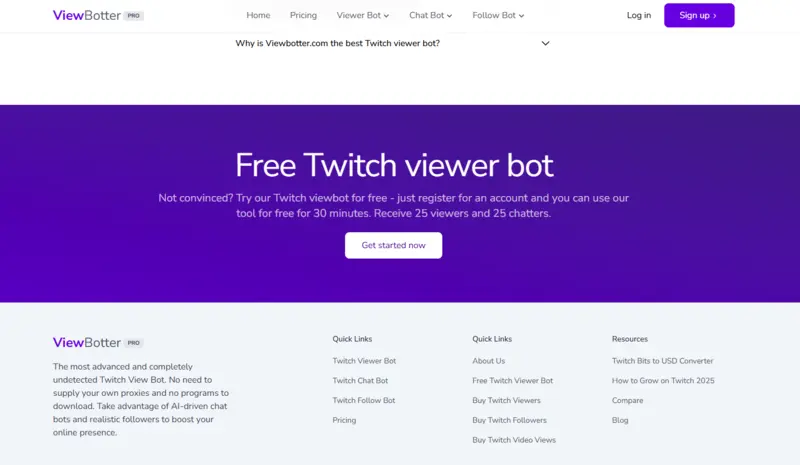
Even better, you can try it risk-free with our Free Trial. Experience how ViewBotter works before committing, and start growing your channel today.
This guide covers everything you need to get started with ViewBotter. Whether you’re a new streamer or want to boost your presence, you’ll be set up for success.
Step 1: Sign Up and Claim Your Free Trial
Create your account and claim your Free Trial by following these steps: Visit the registration page.
- Fill out your email address and create a secure password.
- Agree to the terms and conditions to proceed.
- Check your email inbox for the confirmation link after you register.
- Verify your account to unlock full platform access and activate your Free Trial.
The free trial gives you 25 active views + 25 chatters for 30 minutes. In this period, you can truly see the power of our service.
Step 2: Explore the ViewBotter Dashboard
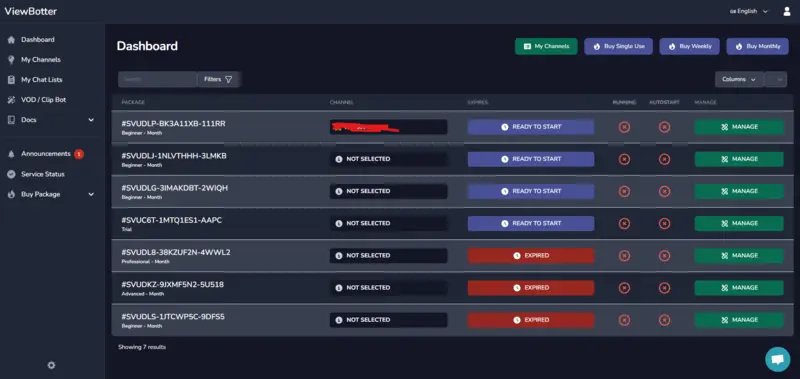
After logging in, you’ll see the intuitive ViewBotter dashboard—your control center for managing viewer, chat, and follow bots.
Key sections include:
- Viewer Bot Settings
- Chat Bot Configuration
- Follow Bot Tools
- Analytics and Reporting
Learning the dashboard helps you get the most out of ViewBotter.
Step 3: Set Up Your Viewer Bot
The Viewer Bot is one of ViewBotter’s most popular tools. It simulates real-time viewers to increase your stream’s visibility and attract organic viewers. To set it up:
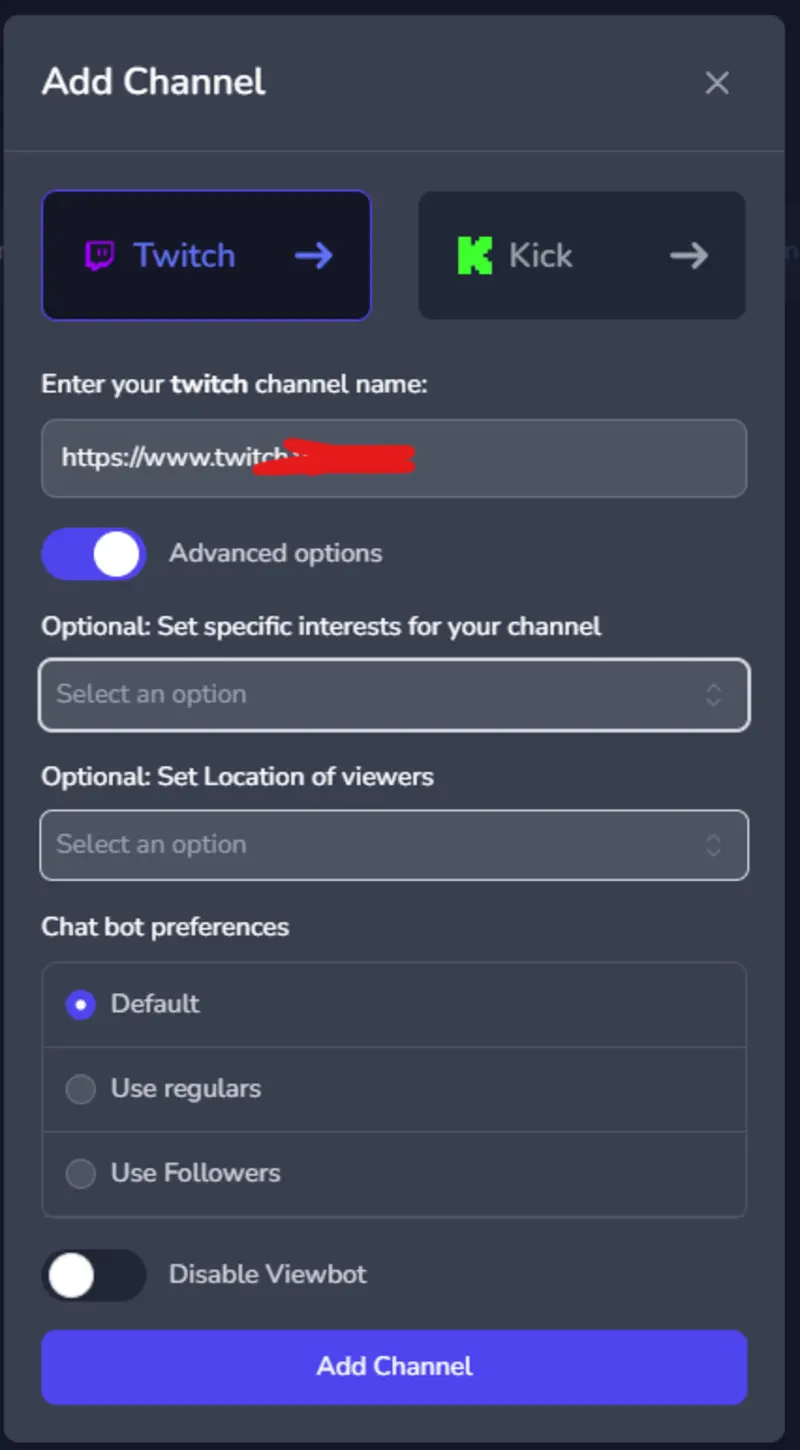
- Add your channel first. Fill in special interests like the game, location of viewers, and chat bot preferences for maximum legitimacy.
- Enter the number of viewers you’d like to simulate.
- Adjust the viewer join rate to mimic natural audience growth.
- Save your settings and activate the bot when you go live.
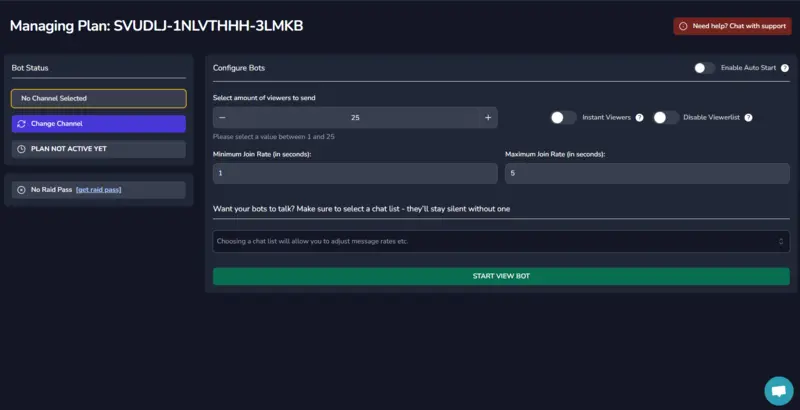
With the Free Trial, you can test this feature and see its effect on your visibility at no cost.
Step 4: Engage with the Chat Bot
Engagement drives success on Twitch. The Chat Bot simulates realistic conversations, making your stream look active and engaging.
To configure your chatbot:
- Go to the Chat Bot section in your dashboard.
- Select chat accounts based on interests, demographics, or locations.
- Customize message frequency and timing to align with your content.
- Create dynamic chat lists that message in real-time during your stream.
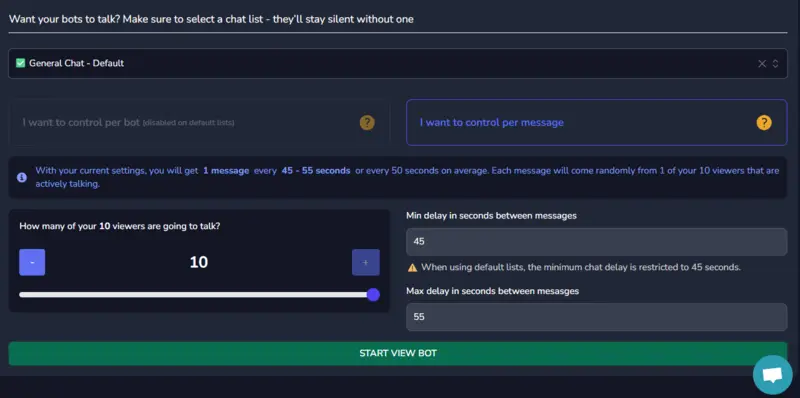
Dynamic chats keep streams lively and can attract real viewers. Learn more on our Chat Bot page.
Step 5: Boost Followers with the Follow Bot
A higher follower count makes your channel more credible. The Follow Bot simulates follower growth safely and efficiently.
Here’s how to set it up:
- Open the Follow Bot section in your dashboard.
- Enter the number of followers you want to add.
- Customize settings to enable followers to engage in chat after posting.
- Activate the bot and monitor results in real-time.
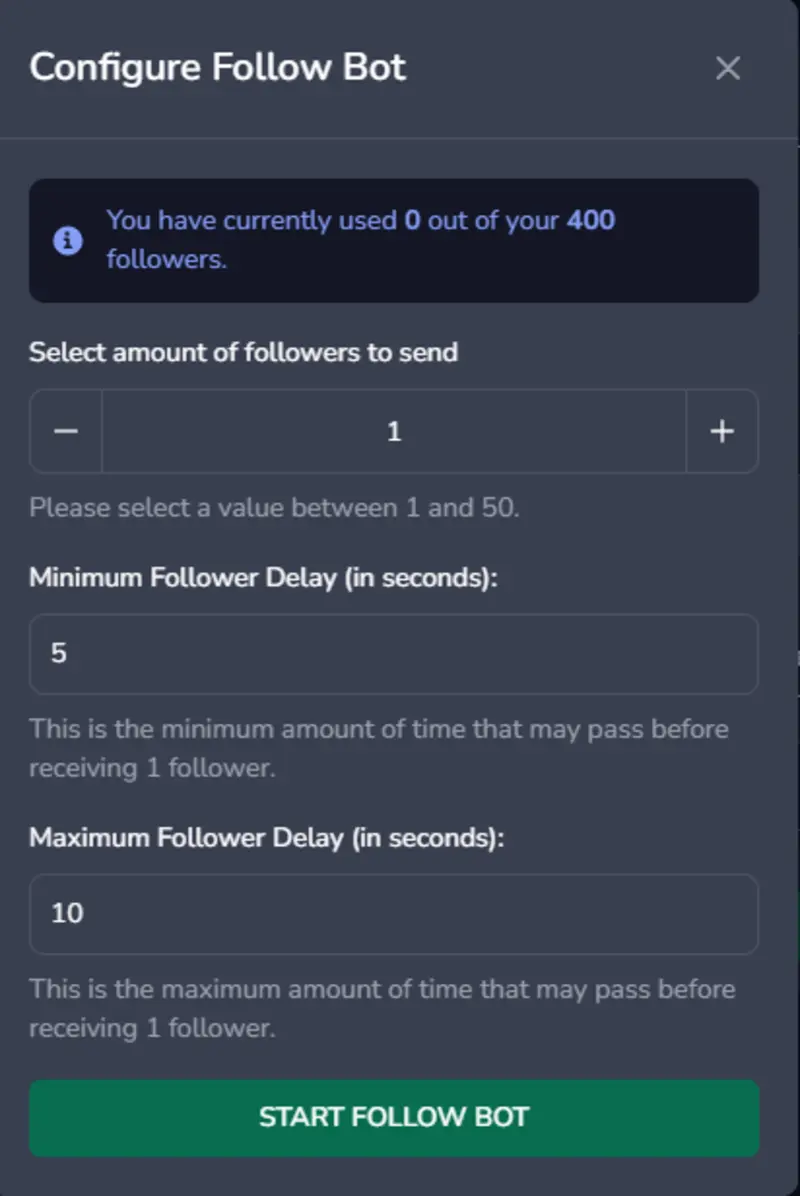
Test the Follow Bot during your Free Trial to help increase your follower count. Learn more on our Twitch Follow Bot page.
Step 6: Activate Auto-Live Features
With Auto-Live, you don’t have to start bots manually each time. This feature ensures viewers and chatbots activate when your stream begins.
To enable Auto-Live:
- Go to the plan in your dashboard.
- Toggle the Auto-Live feature on.
- Configure additional options, such as viewer join rates and chat activity.
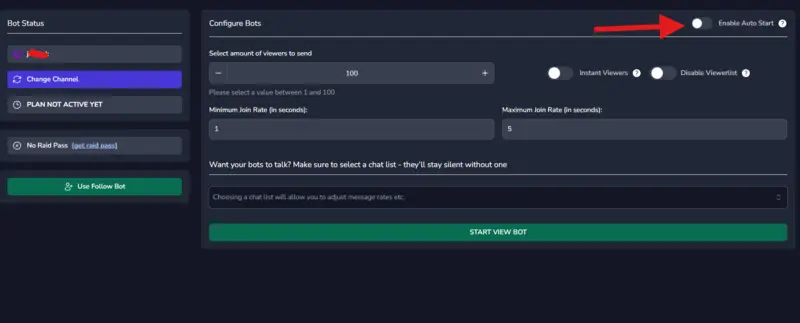
This hands-free feature ensures seamless streaming every time.
Step 7: Stay Informed with ViewBotter Updates
We continually improve our platform to provide a better experience. Visit our blog for updates, tips, and news.
Advanced Features to Explore
Explore advanced features like Geo-Targeting to simulate viewers from specific regions.
- AI-Powered Chat: Enable bots to interact intelligently with your stream.
- Chatbot Bursts: Multiple accounts respond simultaneously to key moments, creating excitement.
Getting started with ViewBotter is easy. Following this guide helps increase visibility, attract real viewers, and build your streaming community.
Start your free trial now to discover how ViewBotter can transform your Twitch experience—risk-free. Want to grow your audience? Sign up instantly and boost your presence today!